Key Takeaways
- A free ATS can help organize early hiring, but verify current limits for jobs, users, candidate records, features and data export.
- Free plans and open-source software have different costs: both may require setup, administration, integrations or future migration.
- Compare the hiring workflow, candidate experience, privacy controls and upgrade path before importing recruitment data.
- Alexia combines an ATS with People Management and Team Connect; confirm current product and AI usage terms before choosing.
Hiring often begins with spreadsheets, shared inboxes and notes stored across different tools. This may work for the first few roles. As applications increase, candidate information becomes harder to track, interview feedback gets delayed and hiring managers lose visibility over the recruitment pipeline.
Free ATS software gives startups and small businesses a structured way to manage hiring without immediately adding another major subscription. The right system centralizes candidate records, organizes recruitment stages and reduces manual follow-ups. The wrong system may limit active jobs, users, candidate storage or integrations, creating additional work as the company grows.
This guide compares five free applicant tracking system options and explains what to review before choosing one.
Why startups use an ATS
Recruitment becomes difficult when several people review applications, arrange interviews and share feedback. Spreadsheets can record names and statuses, but they do not provide a complete candidate history or clear ownership of the next action. Important details may remain in email threads, private documents or chat messages.
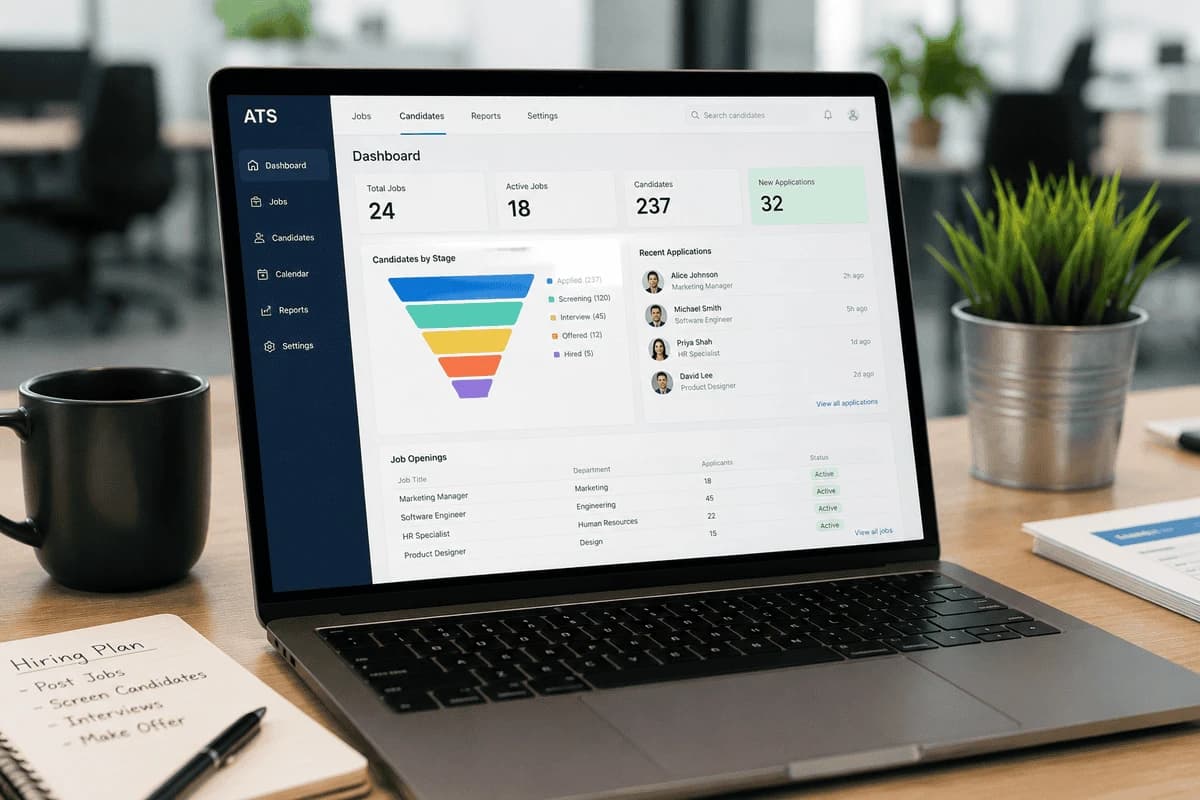
An ATS for startups creates one place to manage job openings and applications, candidate profiles and CVs, recruitment stages, interview scheduling, hiring notes and scorecards, candidate communication, and offers and decisions. Templates, reminders and visible next steps can also help teams keep communication organized. Software supports the process, but teams still need clear roles and consistent evaluation.
What to check in free ATS software
Review these areas before choosing free recruitment software. Free ATS plans vary, and specific limits can change, so confirm current terms with the provider.
Active job limits
Some free ATS plans support only a limited number of active vacancies. This may suit occasional hiring, but it can become restrictive when several departments recruit at the same time. Check how archived or paused roles are counted.
User and candidate access
Check how many recruiters or hiring managers can use the system, how many candidate records can be stored and whether older profiles remain accessible. Confirm whether user roles and permissions allow each person to see only the records they need.
Automation and reporting
Email templates, interview reminders, workflow automation and recruitment reports may be reserved for paid plans. Consider how much manual work the free version requires, and whether the reports available can answer the hiring questions your team has.
Integrations and data export
Check whether the ATS connects to the email, calendars, job boards and HR systems your team uses, and whether those integrations are available on the free plan. Confirm that candidate data can be exported in a usable format if the company changes platforms later.
Free ATS options to evaluate
These options use different models: a broader platform, a hosted free tier, a modular business suite or self-hosted software. Do not assume that a plan is still free or includes a particular feature. Review the current vendor terms.
Alexia
Alexia is a business platform with a built-in applicant tracking system and People Management. Product information describes job postings, candidate pipelines, interview scheduling and offer management, with Team Connect for collaboration. Hiring information may also connect with employee records and onboarding within the broader platform. Alexia currently offers free-to-start access; review current product information for terms and AI usage details.
The potential benefit is considering recruitment alongside employee management rather than managing a standalone ATS and HRIS separately. Confirm candidate-data permissions and the hiring features available to your account before choosing. Do not assume that every AI or integration feature is included.
Breezy HR
Breezy HR offers recruiting software. If you are considering it for a free ATS plan, confirm that a free option is currently available and check its terms for active positions, candidate access, job distribution, automation and reporting before importing records.
Zoho Recruit
Zoho Recruit offers a free plan with one active job per recruiter license, according to its current pricing page. Confirm which candidate-management, interview and integration tools are included at no charge. If your team hires for multiple roles at once, compare the plan limits with your expected vacancy volume.
Odoo Recruitment
Odoo Recruitment helps organizations manage job openings, applications, candidate documents, interview stages and hiring activity as part of Odoo's configurable business application suite. Its modular structure may suit businesses already evaluating other Odoo applications. Setup can be more involved than adopting a lightweight hosted ATS, and apps, hosting and support may affect the total cost. Check which edition and configuration are required for your workflow.
OpenCATS
OpenCATS is open-source applicant tracking software with candidate management, CV storage, job tracking and recruitment notes. A self-hosted system can give an organization control over its environment and candidate database, but the software still needs a suitable server, backups, updates, security and support. Confirm current maintenance and compatibility requirements, and decide who will be responsible for administration and troubleshooting. Its interface may also feel less modern than some cloud-based products, so include recruiter usability in a trial.
Free ATS options compared
Use this table as a starting point for evaluation, not as a promise about a free plan's current terms.
| Option | Approach | Check before adopting |
|---|---|---|
| Alexia | ATS within a broader business platform | Current plan, AI usage terms and exact hiring workflow |
| Breezy HR | Hosted recruiting software | Free-plan availability, position limits and candidate access |
| Zoho Recruit | Recruiting product with multiple plan tiers | Current free-tier features and upgrade boundaries |
| Odoo Recruitment | Recruitment within a configurable suite | App, hosting, setup and subscription requirements |
| OpenCATS | Open-source, self-hosted ATS | Hosting, security, backups and maintenance ownership |
Put these ideas to work
See how the workflows covered in this article run inside the Teamified platform.
Common limitations of free ATS plans
A free plan may limit active jobs, users, candidate storage, historical access, workflow automation, reports, job-board connections or permissions. Those limits vary by provider and may change, so confirm them in the current plan terms. A restriction on simultaneous openings or users can become important as soon as several hiring managers need to participate.
The most impactful limitation may be integrations. Some tiers may not connect to the job boards, HR systems or communication tools a team uses. This can require manual data entry and create disconnected workflows, so test the exact integration rather than relying on a general integrations listing.
A free tool can also require manual administration or paid services around it. Consider the time involved in entering information, scheduling interviews and preparing reports, as well as any integration, support, hosting or migration costs. The subscription price alone does not show the total cost of using the system.
When to upgrade from a free ATS
A free option may no longer fit when multiple roles run at once, more hiring managers need distinct access, the team needs consistent reporting, or candidate communication is difficult to manage. New compliance, security or data-retention requirements may also change what the organization needs.
Before moving to a paid plan or a different product, identify the specific limit causing a problem. Compare the upgrade cost with the cost and effort of switching, including candidate data export, historical records and training.
How to evaluate a free ATS
A structured trial can reveal whether a tool fits before real candidate information is added. Use test data and document the questions that matter to your team.
Test the hiring workflow
Create a sample job and move a test candidate through each stage. Check screening, interview scheduling, feedback collection, communication and offer steps. Confirm that the next action and its owner are easy to find.
Review plan limits and integrations
Confirm active-job, user and candidate limits, then check the required email, calendar, job-board and HR connections. Ask whether integrations are available on the free plan and what data they exchange.
Check privacy, permissions and export
Review access controls, retention, security documentation and data export options. Candidate information is sensitive, so make sure the system and your internal process meet applicable requirements before use.
Assess usability
Recruiters and hiring managers should be able to understand the system without extensive training. Review the dashboard, candidate profiles, search tools and reporting features with the people who will use them.
Assess candidate experience
Test application forms, confirmation messages, interview invitations and the mobile experience. Check that the process is understandable and that applicants receive appropriate updates.
Frequently asked questions
A few distinctions can help narrow down a shortlist.
Is there a completely free ATS?
Some providers offer free hosted plans and open-source recruiting software. Their terms differ, and a free license does not necessarily mean zero operating cost. Review limits, hosting, support, integrations and upgrade terms.
What is the best free ATS for a startup?
There is no single best option for every startup. Choose based on the number of roles, hiring team, integrations, security requirements and whether recruitment needs to connect with employee management.
What is the difference between an ATS and an HRIS?
An ATS organizes jobs, candidates and the hiring process. An HRIS manages employee information and HR workflows. A product may include both, but check the specific functions and data handoff rather than relying on the category label.
Choose a free ATS that can support your process
Free ATS software can give a startup more structure before hiring becomes difficult to coordinate. The best choice is the option that handles the roles, users and workflows you have now while giving you a clear path if needs change.
Before adopting a system, test the candidate journey, access controls, integrations and export process. Compare the current plan and upgrade terms, and evaluate total operating effort as well as license cost. Revisit the decision as hiring volume and compliance responsibilities evolve.

About the Author
Simon Lee
Co-Founder, Teamified
Simon Lee is the co-founder and CEO of Teamified, with deep expertise in cloud architecture, fintech, and SaaS platforms. He leads the vision behind Alexia.ai, designing AI-powered solutions that drive operational efficiency and business growth across global teams.
Connect on LinkedInExplore Alexia recruitment
Review applicant tracking alongside People Management and Team Connect.