Key Takeaways
- Manual reporting effort is spread across collecting, checking, summarising, and sharing information.
- A worked example can help estimate labour cost, but actual hours and rates vary by team and reporting task.
- Automation may reduce repetitive steps, but setup, validation, and review still take time.
- Measure a tool on a representative reporting cycle before assuming a time saving or return on investment.
Manual reporting remains common across marketing, finance, operations, and sales teams. A report may involve exporting data from several platforms, copying figures into spreadsheets, checking formulas, building charts, and writing a summary before it can be shared. Each step may take only a few minutes, but those minutes can accumulate across recurring reports.
The financial impact is not limited to salary costs. A manual process may delay access to information and reduce time available for analysis or other work. Manual and automated reporting are not always mutually exclusive: teams often automate data collection while retaining manual checks, interpretation, or presentation.
The Real Cost of Manual Reporting
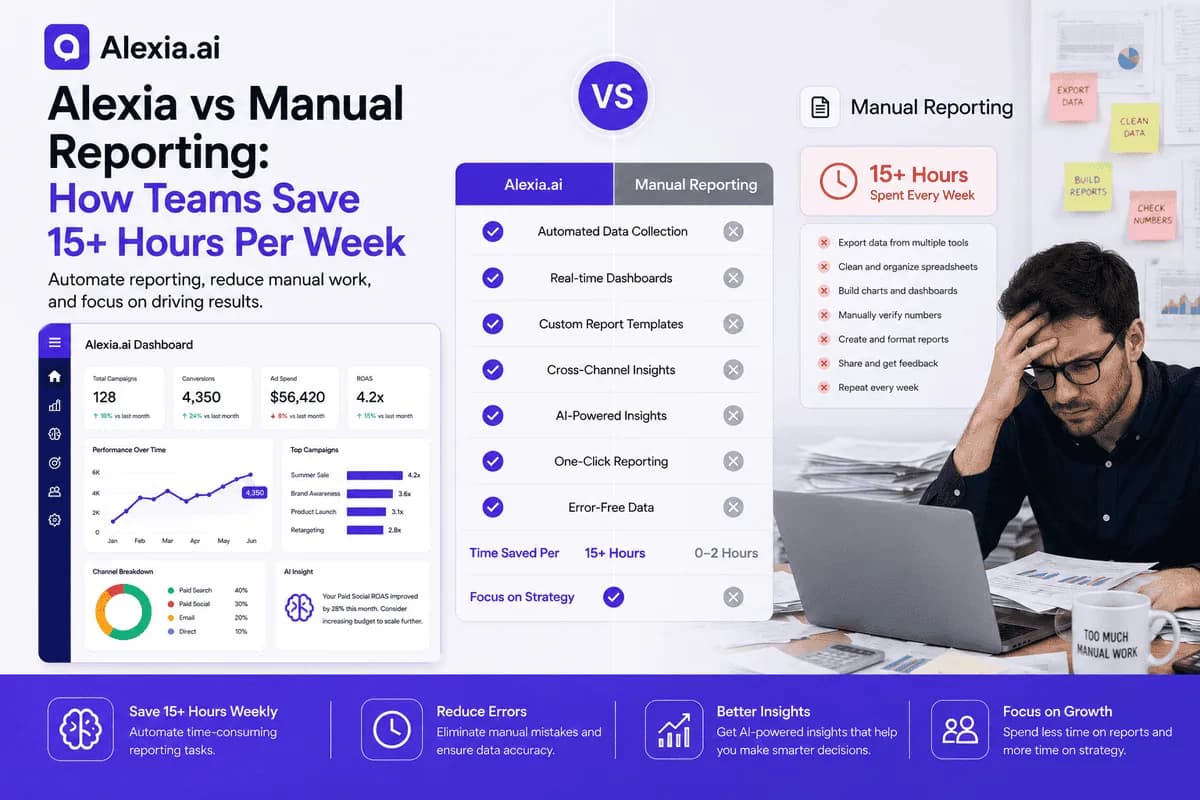
A reporting process at a growing business may include collecting information from multiple systems, preparing spreadsheets, analysing results, reviewing reports with stakeholders, distributing updates, and maintaining templates. The hours below are a worked example, not a benchmark or claim about a typical business:
- Data collection: 5 hours per week
- Report preparation: 4 hours per week
- Analysis and commentary: 3 hours per week
- Distribution and follow-up: 2 hours per week
- Template maintenance: 1 hour per week
That is 15 hours per week. At an assumed loaded employment cost of $50 per hour, the arithmetic is $750 per week, or about $3,248 per month using 4.33 weeks. Actual costs vary with the team's time, pay rates, reporting frequency, and which activities are included. The estimate excludes software and any savings or additional work from automation.
How Automated Reporting Changes the Process
Reporting automation can remove selected repetitive tasks from a reporting workflow. If the relevant systems are connected and configured, some products can retrieve data and prepare recurring reports. The refresh schedule, supported fields, calculations, and amount of human review vary by product and data source.
AI features may also help summarise results or highlight changes. Alexia's product information describes reporting and analysis across connected tools. Review the product overview and integration directory to check current coverage. Connected data does not necessarily mean live data, and generated explanations still need review.
| Manual reporting may involve | Automation may support |
|---|---|
| Repeated exports and spreadsheet assembly | Retrieval from configured sources |
| Rebuilding recurring reports | Preparing scheduled or repeatable reports |
| Manual calculations and checks | Selected calculations, subject to setup and validation |
| Separate platform reports | Combining supported data sources |
For businesses producing weekly or monthly reports, compare the time and consistency of the whole process rather than assuming immediate efficiency gains.
Put Automated Reporting to the Test
Connect or configure the data sources required for one report, then compare its output with the manual process you use today. Include time for checking the figures and reviewing the result.
Hidden Costs That Rarely Appear in ROI Calculations
Labour is only one part of the equation. Manual reporting can introduce errors through spreadsheet formulas, copy-and-paste mistakes, or inconsistent reporting periods. Inaccurate numbers may influence budgeting, forecasting, or campaign decisions, so time spent on verification is part of the process.
Delays can also matter. If a report takes days to prepare, stakeholders may be working with older information. Time spent preparing reports is time not spent on other responsibilities, such as strategy, optimisation, or client work. These opportunity costs vary by organisation and should be estimated rather than assumed to outweigh the direct cost.
Automation may also create work in setup, access permissions, quality checks, and staff training. Include these tasks when comparing options.
Put these ideas to work
See how the workflows covered in this article run inside the Teamified platform.
How Quickly Does Reporting Automation Deliver ROI?
There is no universal timeline for a return on investment. Once a reporting workflow is connected and configured, some recurring tasks may be completed with less manual preparation, but setup and review still take time. Any hours recovered depend on the workflow and source data.
Measure the first report cycle, then compare results over several weeks. A basic estimate is current labour cost = reporting hours × loaded hourly rate and new recurring cost = software subscription + remaining staff time. The difference is only an estimate, not a guaranteed saving. Include integration setup, staff review, and training in the calculation. Do not assume that a product will pay for itself in the first week or that a faster report will automatically improve business decisions.
Choosing the Right Reporting Automation Software
The right reporting automation software should do more than generate charts. When comparing tools, check whether they connect to the services your business uses, combine the required data, and support recurring reporting. If AI-generated summaries, anomaly detection, KPI monitoring, or recommendations matter to your process, verify how those features work and what data they use.
Choose one recurring report and record the time spent on collection, preparation, checking, analysis, and distribution. Trial the proposed tool with the same sources and reporting period. Compare time, figures, human review, clarity, privacy and permission requirements, and software and setup costs. Make sure any apparent time saving is not caused by missing or different source data.
Why Businesses Are Moving to AI-Powered Reporting
AI-assisted reporting products may help teams explore connected data, draft summaries, or monitor selected measures. Capabilities vary, and a generated summary is not a substitute for checking the figures or understanding the business context.
Alexia's product information describes reporting and insights across connected tools. Teams can review the product overview, relevant reporting use cases, and integration directory. For example, a team might ask for a weekly performance report or how a goal is progressing, provided the relevant data and permissions are configured. Test a real workflow before expecting a particular result or time saving.
Spend Less Time Preparing Reports
Review Alexia's reporting features and integration directory, then test a representative reporting task. Compare the time and review involved before estimating any potential savings.

About the Author
Simon Jones
Co-Founder, Teamified
Simon Jones is the co-founder and CTO of Teamified, bringing decades of experience in technology, system architecture, and business transformation. He oversees the technical direction of Alexia.ai, ensuring the platform delivers enterprise-grade automation and intelligence.
Connect on LinkedInSpend Less Time Preparing Reports
Review Alexia's reporting features and test a representative task before estimating any time or cost savings.