Key Takeaways
- Microsoft Teams is closely connected with Microsoft 365 and supports chat, meetings, channels and file collaboration.
- Alexia Team Connect offers chat, channels and video alongside HRIS, applicant tracking, tasks and reporting.
- Teams may suit organizations standardized on Microsoft 365; Alexia may suit teams seeking communication alongside wider operational tools.
- Compare current plan terms, meeting limits, integrations and workflow requirements before choosing.
Microsoft Teams is an obvious collaboration choice for many companies because it sits alongside Outlook, Word, Excel, PowerPoint, OneDrive and the wider Microsoft 365 ecosystem. That advantage can also shape the rest of an organization's technology stack. Once communication, meetings and files sit inside Microsoft 365, businesses may build more processes around the same ecosystem.
For Microsoft-first companies, this can be effective. For growing businesses using a mix of HR, recruitment, CRM, accounting and productivity platforms, another question emerges: should collaboration sit inside a productivity suite, or inside the operating platform where wider business work happens?
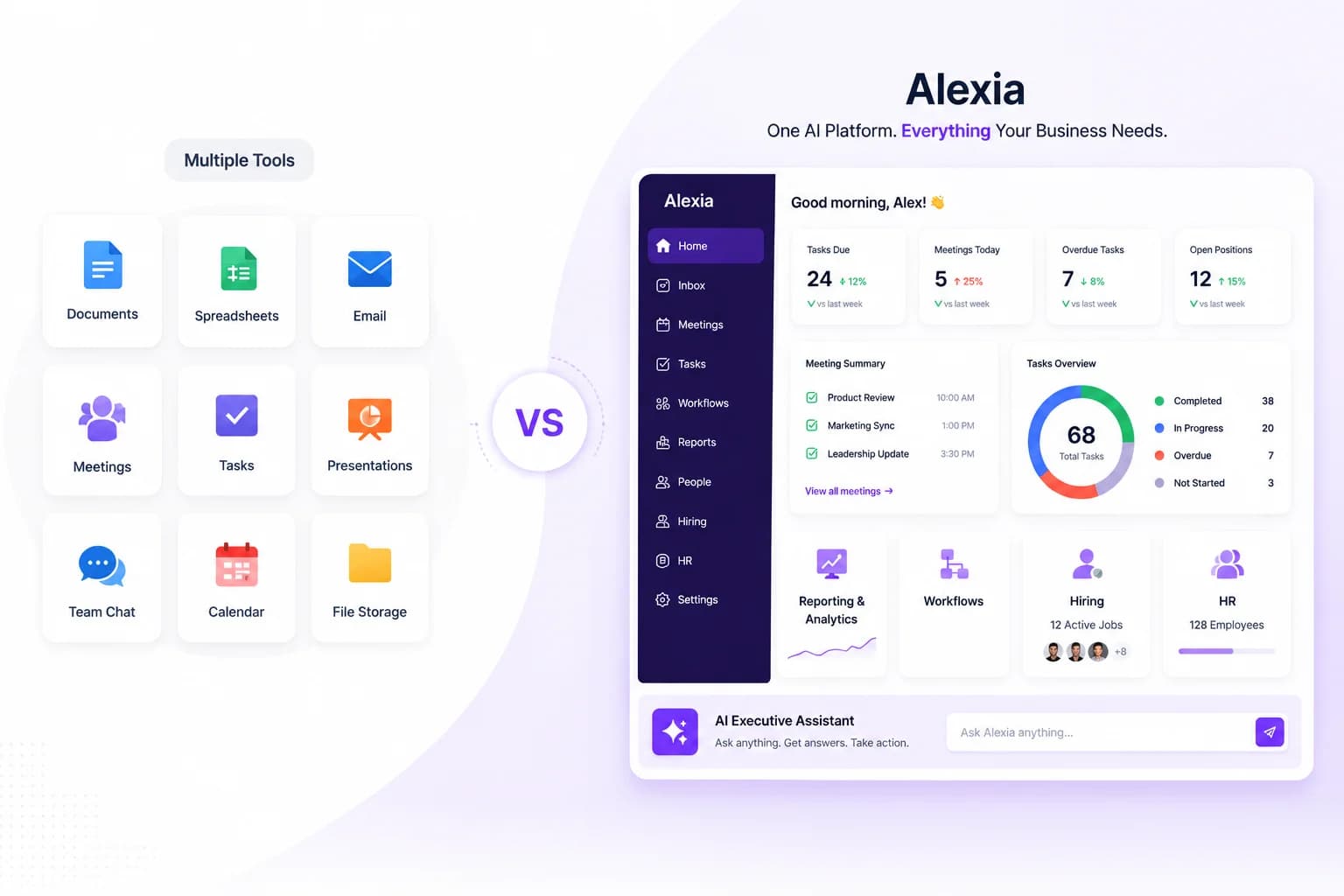
Alexia Team Connect takes a different approach. Chat, channels and video sit within the Alexia platform alongside applicant tracking, People Management, tasks, meetings and reporting. This comparison considers what happens around a conversation, not just which app has more communication features.
What are you comparing?
Microsoft Teams and Alexia Team Connect overlap in communication, although their wider platforms solve different problems. Microsoft Teams is part of Microsoft's productivity ecosystem. Teams provides messaging, channels, meetings, calls, file collaboration and events, and connects closely with Microsoft 365 applications.
Alexia Team Connect is one component of Alexia's broader business platform. Chat, channels and video sit alongside applicant tracking, People Management, tasks, goals, reporting and AI-supported workflows. A feature-by-feature comparison only tells part of the story. The more important distinction is what information and workflows surround a conversation.
Alexia vs Microsoft Teams at a glance
Features, participant limits and availability vary by product and plan. Confirm the current details with each provider before selecting a platform.
| Area | Alexia Team Connect | Microsoft Teams |
|---|---|---|
| Chat and channels | Available within Team Connect | Core collaboration features |
| Video meetings | Built-in Team Connect meetings | Meetings, calls and events; limits depend on plan |
| Files and productivity suite | Team Connect file sharing; use connected tools as needed | Strong connection to Microsoft 365 apps and files |
| HRIS and applicant tracking | Available within the Alexia platform | Typically handled by separate products or integrations |
| Integrations | See Alexia integrations | Microsoft ecosystem and third-party apps |
| Pricing | See current Alexia product information | See Microsoft Teams plans and pricing |
Communication and day-to-day collaboration
Microsoft Teams provides a mature collaboration environment. Employees can organise discussions through teams and channels, send direct messages, share files and move conversations into calls or meetings. Microsoft 365 integration also lets teams work with documents and other productivity tools within the same ecosystem. Microsoft's Teams overview describes its current collaboration capabilities.
Alexia Team Connect covers chat, channels, video calls and file sharing as part of Alexia. Its differentiation appears when communication relates to operational work. A recruitment discussion can sit within the same wider platform as the ATS. People-related conversations exist alongside People Management, while meetings, follow-ups, tasks and reports can remain within the Alexia environment.
For companies looking for a Microsoft Teams alternative, this broader context can matter when employees need to move from a conversation to a people or operational workflow. Do not assume that a platform automatically links every discussion to the relevant employee or candidate record. During evaluation, test the exact permissions, records and handoffs your team uses.
Meetings and video
Microsoft Teams offers meetings, calls, webinars and event capabilities. Features, participant limits and meeting duration depend on the selected product and license. Review Microsoft's current Teams plans and meeting information for participant limits and event requirements rather than relying on figures copied from an older comparison. This range of meeting options can be important for organizations running formal company events or larger meetings.
Alexia Team Connect focuses on everyday business meetings within its wider workspace. Alexia product information describes video meetings and AI meeting support, including transcription and post-meeting analysis. Check Team Connect for the current feature set and verify recording, transcription, capacity and retention requirements.
The choice depends on meeting requirements. Teams may suit organizations that need Microsoft's event capabilities or large-scale meetings. Alexia may suit teams that want meetings close to the operational workflows where actions are tracked. Test these needs against current plan terms.
The HR and recruitment layer
Microsoft Teams is a collaboration product, not a full HRIS or applicant tracking system. Organizations typically use separate HR or recruitment products, which may connect to Teams through Microsoft or third-party integrations.
Alexia includes People Management and an ATS alongside Team Connect. Its HR tools cover employee information and people workflows, while its ATS supports job and candidate management. Review Alexia's built-in tools and confirm that the required steps are supported.
This can change how teams organize communication around hiring and employee matters. Still, do not assume that candidate status or employee records are automatically visible in every conversation. Check access controls and data handling with each vendor.
Put these ideas to work
See how the workflows covered in this article run inside the Teamified platform.
Microsoft 365 ecosystem vs a mixed technology stack
Microsoft Teams is particularly powerful when a company already uses Microsoft 365 extensively. Business plans may package Teams with services such as business email, OneDrive storage and web, mobile or desktop versions of Microsoft 365 applications, depending on edition and region. For a Microsoft-first company, keeping collaboration within that ecosystem can simplify identity, administration and document workflows. Microsoft plan names, included apps and regional pricing vary, so check the official Teams comparison and Microsoft 365 terms for your region.
Alexia takes a more platform-agnostic approach. Its integrations page lists supported connections to other business tools. This can be relevant for businesses whose technology stack already spans several vendors, but an integration listing does not guarantee that every feature or data flow is included.
The decision need not be an all-or-nothing choice between Microsoft and everything else. A company may continue using Microsoft productivity apps while evaluating Alexia for people management and operational workflows.
Alexia vs Microsoft Teams pricing
Microsoft offers multiple ways to license Teams, both independently and with Microsoft 365. Products, billing terms and prices can change by region, so consult Microsoft's current Teams options and pricing. Alexia's current pricing and AI usage terms should be checked on its product page.
Compare the full software stack needed for collaboration, including HR, recruitment, meeting analysis, reporting and AI. Include license counts, add-ons, implementation, storage and administration. Avoid annual cost totals unless they use current written quotes and equivalent feature assumptions.
Which approach fits your team?
Consider Microsoft Teams if your organization is already deeply invested in Microsoft 365, relies on its document collaboration, or needs meeting and event capabilities available in its current plans. Review your governance, retention and security requirements with your administrator.
Consider Alexia Team Connect if communication is one part of a broader need to connect chat and meetings with People Management, recruitment, tasks and reporting. Explore Team Connect and test the necessary workflows.
For either platform, make a shortlist based on real requirements. Confirm integrations, feature availability, migration effort, access control and support before moving users or business data.
The better collaboration platform depends on what surrounds the conversation
Microsoft Teams and Alexia solve collaboration from different starting points. Teams is strongest when communication needs to work closely with Microsoft 365. For businesses already centred on Outlook, Office applications and Microsoft infrastructure, that connection can be difficult to beat.
Alexia is designed for companies asking a different question: how many separate systems should employees need to complete the work that begins in a conversation? Team Connect sits alongside People Management, hiring, meetings, goals, tasks, reporting and AI tools. A conversation may lead into the next business action within the same environment, depending on configuration and the workflow enabled for the account.
For businesses evaluating a Microsoft Teams alternative in 2026, compare more than chat and video. Look at the wider work your team needs to complete before and after each conversation, the tools that remain in your stack and the current plan terms. Validate capabilities against vendor documentation and a practical product demonstration.

About the Author
Simon Jones
Co-Founder, Teamified
Simon Jones is the co-founder and CTO of Teamified, bringing decades of experience in technology, system architecture, and business transformation. He oversees the technical direction of Alexia.ai, ensuring the platform delivers enterprise-grade automation and intelligence.
Connect on LinkedInExplore Alexia Team Connect
Review communication alongside People Management, recruitment and operational tools.